



 AvPlan
 Data Update 2609
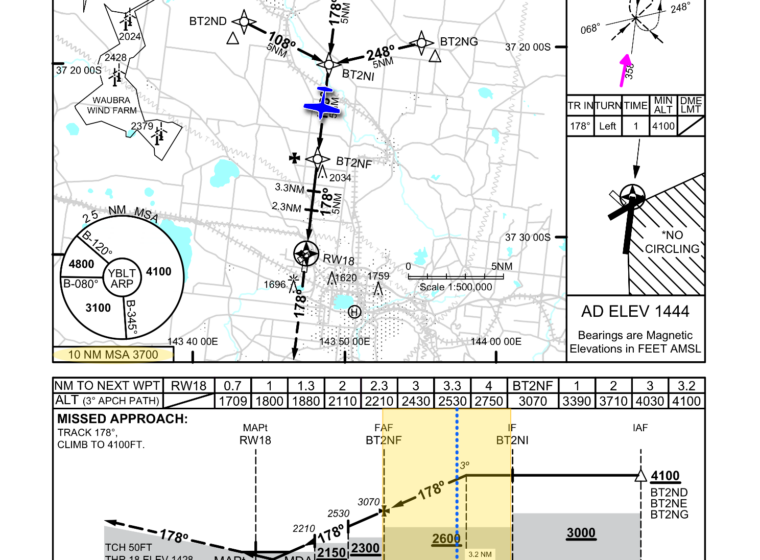
Effective 3 September 2026 What is changing? The Australian DAP 2609 update includes revised approach plates at 35 airports. Most […]
Learn More



Since AvPlan Web launched in mid-July, we’ve been busy adding more ways to plan, brief and manage your flying from a desktop or laptop. From new weather overlays and clearer runway information to easier aircraft setup and more useful flight paperwork, there’s plenty to explore.
If you haven’t signed in for a while, here’s what’s new.
You can now choose a default aircraft and performance profile in Preferences, so new plans start with the combination you use most often.
For IFR planning, the shortest-route options now include low-level and high-level routes, giving you more choice when building your route.
We’ve also expanded the tools for managing your own waypoints. Create and edit user waypoints, adjust their location, and find them in route searches. Improvements to briefing and filing make those custom locations easier to use throughout your planning.
Multi-stage planning has received attention too, with better handling of departure times and the way passenger and fuel loads carry through between stages. Clearer plan status and device-sync messages make it easier to follow what’s happening as you work.
The En Route map now includes a distance and true-bearing ruler, with an LSALT display option. You can also fit the whole flight plan, or just the current stage, to the map in one step.
A new Grid LSALT/MORA overlay adds another useful reference when reviewing terrain and route options. As always, use the relevant charts and planning requirements when assessing the altitude for your flight.
On the Terminal page, expanded runway details bring together magnetic headings, wind components and circuit-direction indicators. Direction arrows on the satellite view help you relate the runway and circuit to the surrounding area before you arrive.
You’ll also find moon-phase information in the map’s location details, and data-region preferences that help tailor the information shown to where you fly.
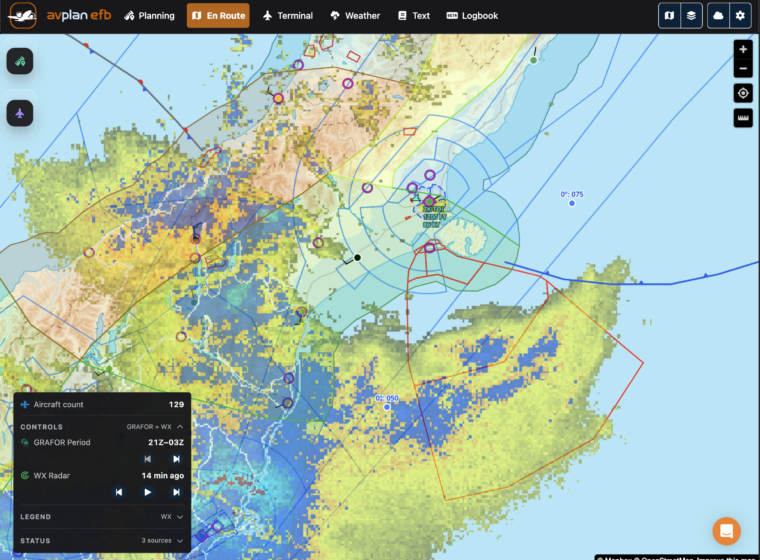
New Zealand planning now includes rain radar and GRAFOR forecast overlays, helping you review the weather alongside your route.
We’ve also added PreFlight integration, including New Zealand SIGMETs for users with the required PreFlight Premium access. To connect your account, open Pilot Profiles, enter your PreFlight login details and save your profile.
The PreFlight information available to you depends on your subscription and permissions. Continue to review current authorised weather and briefing information before flight.
The new Advanced Type Creator lets you build an aircraft type from your aircraft’s Pilot’s Operating Handbook, without first copying an existing model. A guided setup takes you through the details needed for your aircraft.
There are also more ways to bring existing information into AvPlan Web:
For pilots getting started, example aircraft provide a way to explore the planning workflow. Before using any example or imported profile for a flight, check its performance, fuel, weight and balance details against the documentation for your aircraft.
You can now produce printable NAIPS and IFIS submission reports, giving you a convenient record of your flight-plan filing.
Printing preferences also give you more control over the rows included in your flight log, so you can prepare a printout that suits the way you work.
For Enterprise users, aircraft loading now supports RTOW and RLW—the restricted take-off and landing weights you enter for the flight. Expanded load-sheet options and the ability to sign supported load sheets in the browser help bring more of the preparation into one place.
With Enterprise Pro, selected documents can be uploaded from the planning print view into the flight’s Tech Log, as pre-flight or post-flight paperwork. This helps keep the documents together with the flight record for later review.
AvPlan Enterprise Cloud has gained several additions to help teams maintain shared information and manage day-to-day operations:
Glide Planner filters support your planning; they do not establish that a landing site is suitable or available for a particular flight.
Aircraft photos can now appear beside flights on personal and group departure boards, with a larger preview when selected. It’s a useful way to recognise aircraft when following several flights.
Account management is more convenient too. You can update your contact details and change your password within AvPlan Web, review transaction history, and access account deletion options from account settings.
Alongside the new features, we’ve improved map performance, planning responsiveness and layouts on smaller screens. Refreshed Welcome and Planning walkthroughs help you find your way around.
Sign in to AvPlan Web with your AvPlan account to explore the latest additions. There’s nothing to install, and the web updates are there when you sign in.
Available features depend on your AvPlan subscription, region and group permissions; some weather products also require a separate provider account. For help getting started, visit our AvPlan Web user manual.
Thank you to everyone who has shared feedback since launch. Your suggestions help us make AvPlan Web more useful for the flying you do every day.
AvPlan Effective 3 September 2026 What is changing? The Australian DAP 2609 update includes revised approach plates at 35 airports. Most […]
Learn More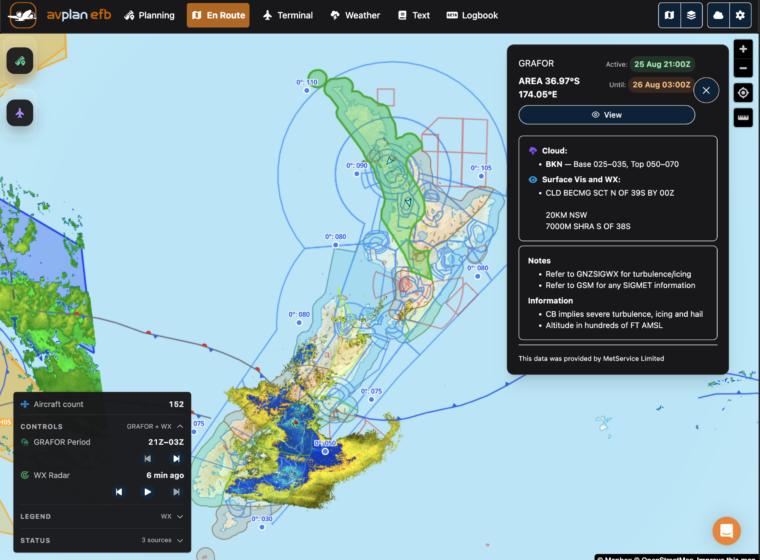 AvPlan
 Planning flights across New Zealand just became easier. AvPlan Web now provides access to all the aviation meteorological data available […]
Learn More AvPlan Introducing ActivePlates in AvPlan EFB Approaches are one of the busiest phases of any flight. You’re managing the aircraft, monitoring […]
Learn More