




AvPlan EFB - Electronic Flight Bag Logo AvPlan EFB - Electronic Flight Bag Alternate Logo AVPlan Logo
    Select Currency
  • Flag AUD
    Australian dollar
    • Flag AUD
      Australian dollar
    • Flag USD
      United States (US) dollar
    • Flag EUR
      Euro
    • Flag GBP
      Pound sterling
    • Flag NZD
      New Zealand dollar
  • Cart
  • Login
  • TRY FOR FREE
  • Features
  • Solutions
    • Private Aviation
    • Business Aviation Solutions
    • SAR/EMS
    • Military Aviation
  • Subscriptions
    • Australian Subscriptions
    • New Zealand Subscriptions
    • US Subscriptions
    • European Subscriptions
    • Middle East Subscriptions
    • Worldwide Subscriptions
    • AvPlan Enterprise
  • Other Products
    • AvPlan OMNI
    • Aviation Data for Dynon SkyView
    • Command Flight Planner
    • Are you ok2fly?
    • Compatible Hardware
  • Learn
    • User Manuals
    • Webinars
    • Video Tutorials
    • Blog
    • Frequently Asked Questions
  • Contact
  • AvPlan Web
  • Login
  • TRY FOR FREE
  • Cart
  • Flag AUD
    Australian dollar
    • Flag AUD
      Australian dollar
    • Flag USD
      United States (US) dollar
    • Flag EUR
      Euro
    • Flag GBP
      Pound sterling
    • Flag NZD
      New Zealand dollar
  • Home
  • Blog
  • uAvionix SkyEcho 2
AvPlan

uAvionix SkyEcho 2

uAvionix Australia have just started shipping the SkyEcho 2 portable ADSB-in and ADSB-out devices to customers. AvPlan EFB has been testing the device for a number of months now and AvPlan EFB for iOS fully supports the SkyEcho 2.

This unit retails for around $900 AUD, and once approved by CASA, will be a great portable traffic solution for VFR GA and RA aircraft.

Being ADSB-out, any aircraft using ADSB-in within ~40nm will receive and display your transmissions. Being ADSB, it does not rely on having cellular coverage or other aircraft using the same EFB software.

To connect your SkyEcho 2, simply connect your iPad or iPhone to the device via wifi. There is no other configuration required. To view the status of the connection, open AvPlan EFB and tap Settings, External Devices, ADSB Status.

Traffic via a directly connected ADSB receiver appears as green targets within AvPlan EFB (see image below).

Related Articles

AvPlan

iOS 27: please continue to hold off upgrading

We continue to advise AvPlan EFB users to delay upgrading to iOS 27, as some devices may experience GPS issues after the upgrade.

Learn More


AvPlan

AvPlan EFB 10.1.1: What’s New

Discover the improvements in AvPlan EFB 10.1.1, including advanced loading, flight-plan sync, load-sheet sharing and NOTAM notes.

Learn More
AvPlan

AvPlan EFB 10.1: What’s New

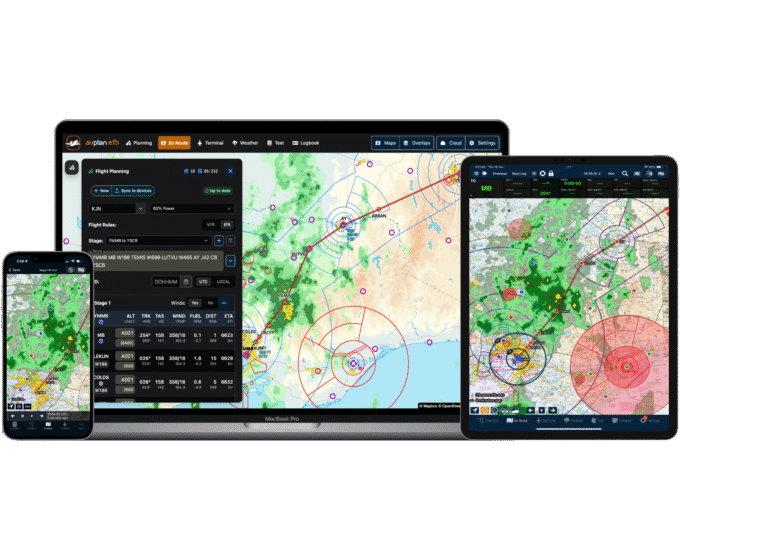
Discover what’s new in AvPlan EFB 10.1, including Journey Logs, expanded weight and balance, route simulation, weather improvements and reliability fixes.

Learn More

Try AvPlan EFB for free

Download the app now to start your free 30 day trial

Or view our plans starting at $169/yr

Features

Solutions

  • Private Aviation
  • Business Aviation Solutions
  • SAR/EMS
  • Military Aviation

Subscriptions

  • Australian Subscriptions
  • New Zealand Subscriptions
  • US Subscriptions
  • European Subscriptions
  • Middle East Subscriptions
  • Worldwide Subscriptions
  • Digital Charting
  • ADSB Devices

Resources

  • Tips
  • Frequently Asked Questions
  • Learn
  • User Manuals
  • Video Tutorials

About

  • About AvSoft
  • Blog
  • Events
  • Media
  • Community
  • Contact
  • AvPlan Cloud Login
  • AvPlan Live Login

Electronic Flight Bag

Subscribe for updates

This field is for validation purposes and should be left unchanged.

Features

Solutions

  • Private Aviation
  • Business Aviation Solutions
  • SAR/EMS
  • Military Aviation

Subscriptions

  • Australian Subscriptions
  • New Zealand Subscriptions
  • US Subscriptions
  • European Subscriptions
  • Middle East Subscriptions
  • Worldwide Subscriptions
  • Digital Charting
  • ADSB Devices

Resources

  • Tips
  • Frequently Asked Questions
  • Learn
  • User Manuals
  • Video Tutorials

About

  • About AvSoft
  • Blog
  • Events
  • Media
  • Community
  • Contact
  • AvPlan Cloud Login
  • AvPlan Live Login
© 2026 AvSoft Australia Pty Ltd.
  • Privacy Policy
  • Terms of Use